
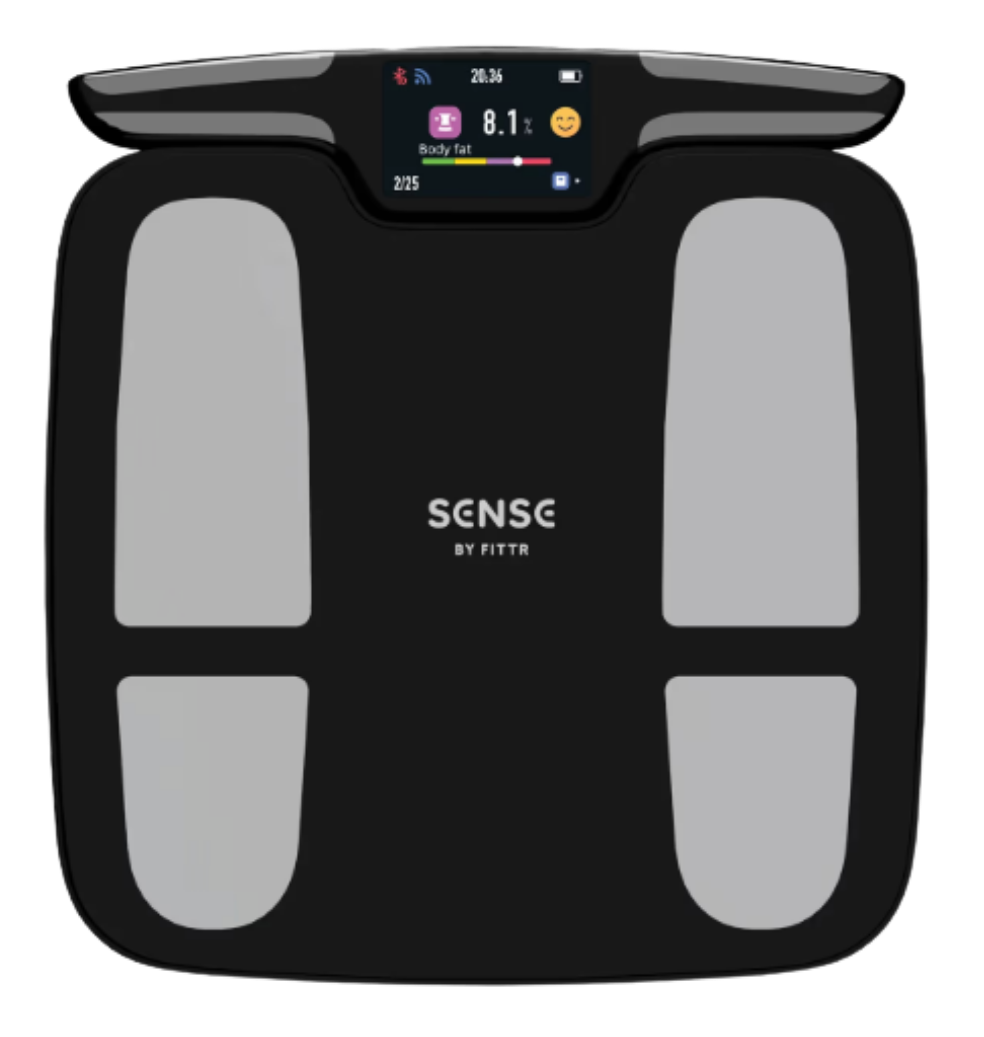
SENSE Pro Smart Scale
More than a weigh-in.
The SENSE Pro looks at 50+ measures of your body composition, including visceral fat, muscle mass, hydration, protein, bone mass and body age, and syncs them to FITTR ONE, where your coach reads them alongside the rest of your data.
First things first
Before you start.
1 · The app
Get FITTR ONE
Your scale connects through the FITTR ONE app, so download it first and log in. Your phone needs Android 5.0 or iOS 10.0 (or newer) — update it if it’s older.
2 · Your phone
Turn on Bluetooth
Keep Bluetooth on while you set up, and tap Allow when the app asks for permissions. That’s how your phone finds your scale.
3 · Your devices
Charge before you pair
Give the scale at least 2 hours on its charging cable before you pair it.
Setup guide
SENSE Pro Smart Scale
More than a weigh-in. The SENSE Pro looks at 50+ measures of your body composition — including visceral fat, muscle mass, hydration, protein, bone mass and body age — and syncs them to FITTR ONE.
In the box
- SENSE Pro Smart Scale
- Charging cable (USB to USB-C)
You’ll also need a 5V/1A USB power adapter to charge it — one isn’t included.
-
1
Unwrap and charge it
- Remove all the packaging, including the protective plastic film.
- The scale runs on a built-in rechargeable lithium battery. Before first use, charge it with a 5V/1A adapter for at least 2 hours.
- Place it on a hard, flat surface and step on. Light pressure (3 kg / about 7 lb or more) wakes it up and the screen lights up.
-
2
Pair it with the app
- Turn on Bluetooth on your phone.
- Open FITTR ONE and agree to the user agreement.
- Log in or register, then enter your personal details.
- Tap Smart Scale, then step on the scale. Pairing happens automatically.
If it doesn’t connect, check that Bluetooth is on and that you’ve allowed the app’s permissions.
-
3
Take your first measurement
- Stand barefoot on the electrode areas with clean, dry feet.
- Hold the handle by its electrode areas with a clean, dry hand on each side.
- When the screen prompts you, raise the handle out in front of you at chest height and stay still while it gathers your body metrics.
- Your results appear on the scale’s display and in the app.
Want to measure again? Step off, wait for the display to show 0.00, then step back on — or tap + Measure in the app.
And you’re done!
Your scale is synced with the app, so you can check your weight and full-body composition any time. Everything it shows is for wellness tracking only — not for medical diagnosis.
Better readings
Get the most accurate numbers.
Do
- Use it on a hard, flat floor and check the screen reads “0.00” before you step on.
- Stand barefoot with clean, dry feet, both feet evenly on the electrode areas.
- Stand straight and spread your weight evenly.
- Weigh in at the same time of day, under similar conditions.
- Pick kg or lb in the FITTR app, or with the button on the scale.
Skip the reading if…
- You just finished strenuous exercise, a heavy meal, alcohol, or a bath or shower.
- You have a fever or feel unwell.
- Your feet or the floor are wet or dirty.
- The scale is on carpet or an uneven floor.
- You’re in a dusty, damp or dirty area.
- You’d be jumping on or standing on the edge — only steady, static pressure works.
Safety first. The scale uses bioelectrical impedance analysis (BIA). The current is safe, but don’t use it if you have a pacemaker, ECG monitor or other implanted medical device, or you’re pregnant (as a precaution). Also avoid using it when wet, in temperatures above 60°C (140°F) or near heat or fire, and below 5°C (41°F) or near magnetic fields such as a microwave.
The SENSE Pro is for general wellness use only. It isn’t a medical device — talk to your doctor about any health concerns.
If something’s off
Scale troubleshooting.
The scale won’t turn on+
Make sure it’s sitting on a hard, flat surface — it wakes with pressure. If the screen still stays dark, the battery may be empty, so charge it with the cable.
Body-fat numbers aren’t showing+
Stand barefoot with clean, dry feet and make sure both feet are in full contact with the electrodes.
The readings look wrong+
Check that your feet and the scale’s surface are both clean and dry. Then measure again once the scale resets to “0.00”.
Nothing on the screen, an error, or missing info+
Check that Bluetooth is turned on in your phone, and that the scale is charged and powered correctly.
The scale shut off suddenly+
It may have overheated from continuous use. Let it cool down, then switch it on again.
I’m seeing an overload warning+
The scale supports a total weight of up to 180 kg (397 lb). Make sure the load on it doesn’t go over that limit.
Care
Cleaning & storing
- Wipe the surface with a soft cloth slightly dampened with water. Don’t soak the scale or use chemical solvents.
- Store it somewhere cool and dry, away from humidity, direct sunlight, and heat sources like radiators or stoves.
Recycling
Recycling & disposal
- Don’t throw the scale or its battery in household trash. It has a built-in rechargeable lithium battery and electronic parts.
- Take it to a local electronics recycling or battery drop-off point, and follow your local rules for e-waste.
Need help with your scale?
We’re here to get you up and running.